

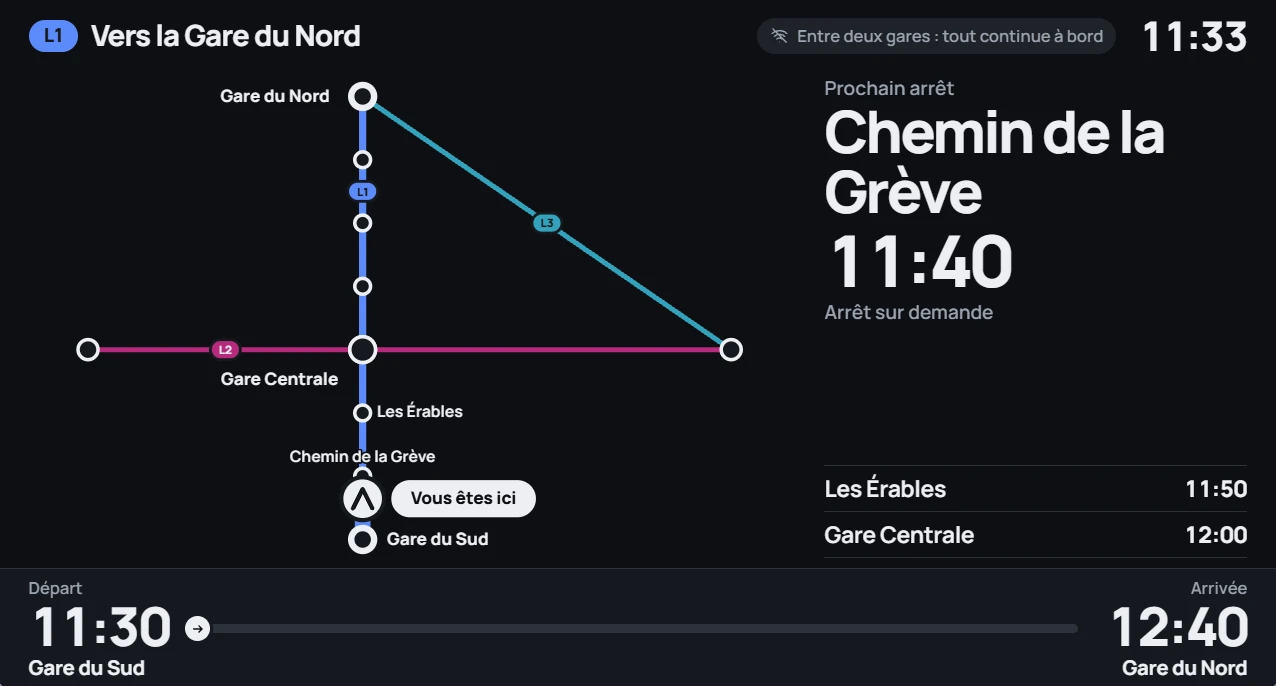
While travelling, I’ve often found myself waiting without knowing what was happening. Is the train late? Has it already left? Am I still waiting in the right place? In that moment, I mostly want to know what to do next.
That’s what made me want to bring transport into StillDeep. Selling a train ticket seems straightforward at first. Add a platform change, a request stop, or a connection, and the ticket becomes a small part of the problem. Passengers and staff also need to know what’s happening when the journey doesn’t go exactly to plan.
A starting point for smaller networks
The transport systems I’m familiar with are often proprietary or built for a particular network. I wondered what a town starting a bus route, a small ferry operator, or a private railway can do when the software on offer doesn’t fit how they work. Even a single route with two boarding points can need a timetable, tickets, and a way to check them. Building and maintaining all of that from scratch is a lot of work for a small operator.
My goal was to give operators a ready-to-configure system they could adapt to their network. A ferry that only needs a ticket desk and a way to check tickets at boarding can stop there. A growing network can add a kiosk, online ticket sales, or connections. Stops, routes, departures, and fares are configured in Admin. Operators and integrators can adapt the screens to how they work while keeping the same ticketing engine.
Giving people useful information while they wait
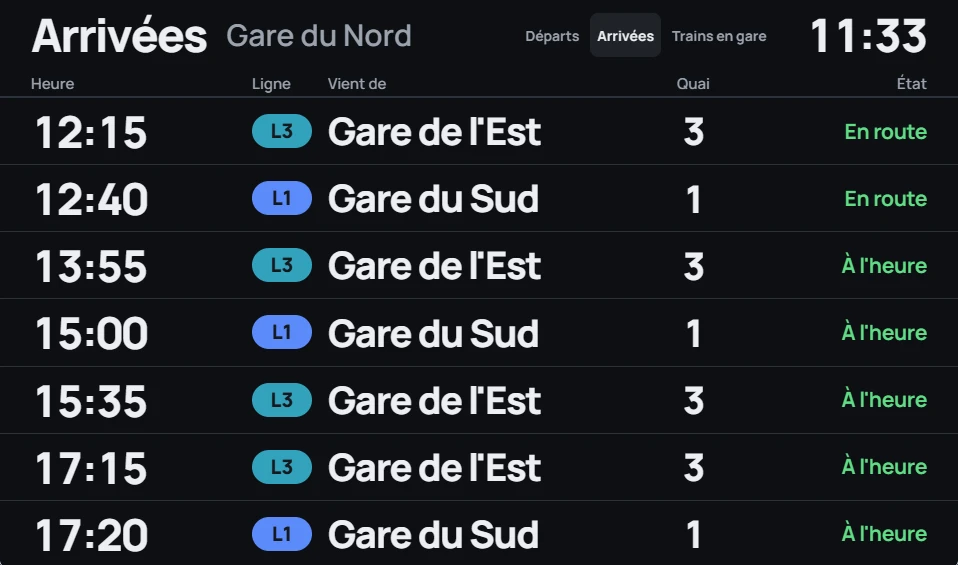
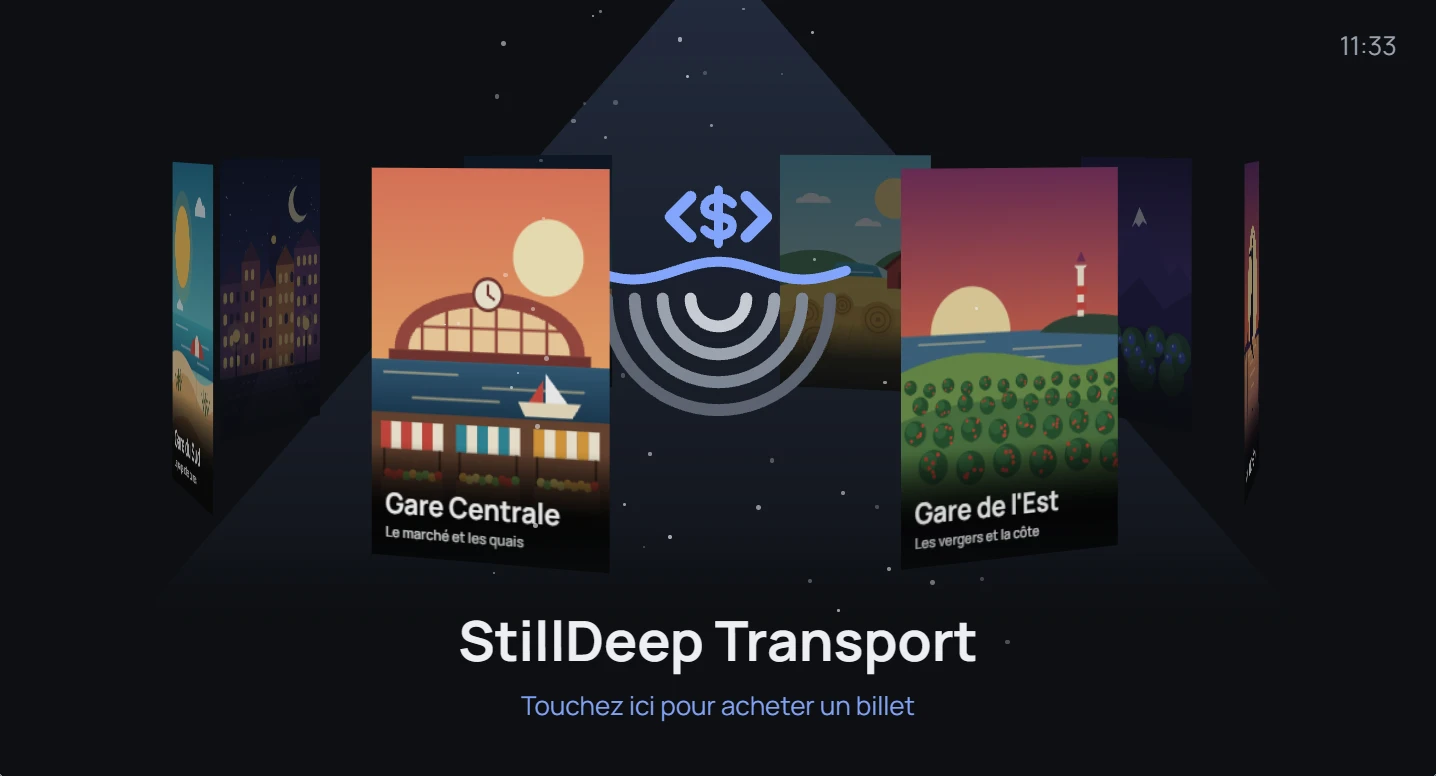
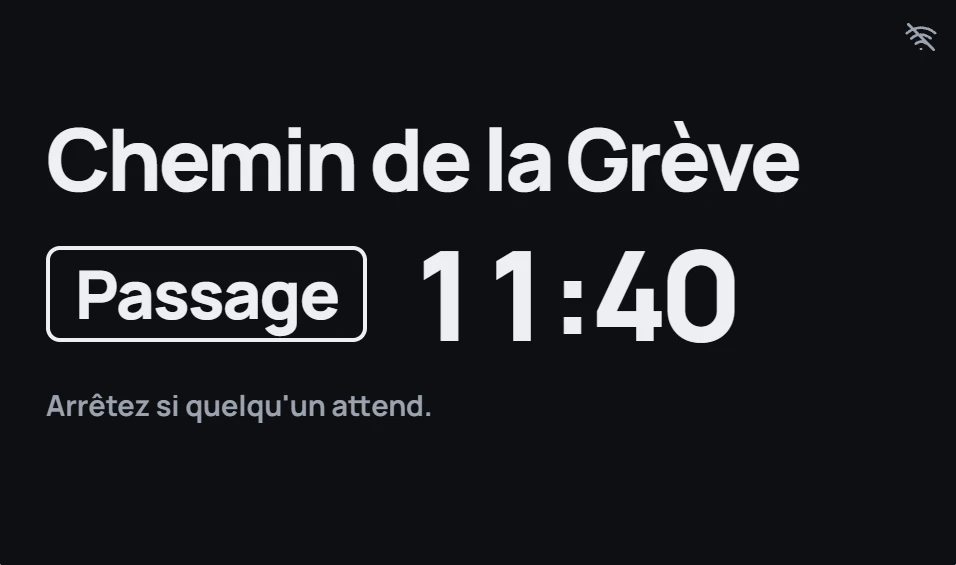
In the demo, station staff can announce a delay, change a platform, or post a message. The board shows where the train is coming from, its time, platform, and status. I also wanted it to show whether the information was still current. If the board loses its connection, it keeps the last timetable it received and shows when it was last updated. That’s information I would have liked to have on a platform more than once.
 1 / 2
 2 / 2
Actually cutting the train’s connection
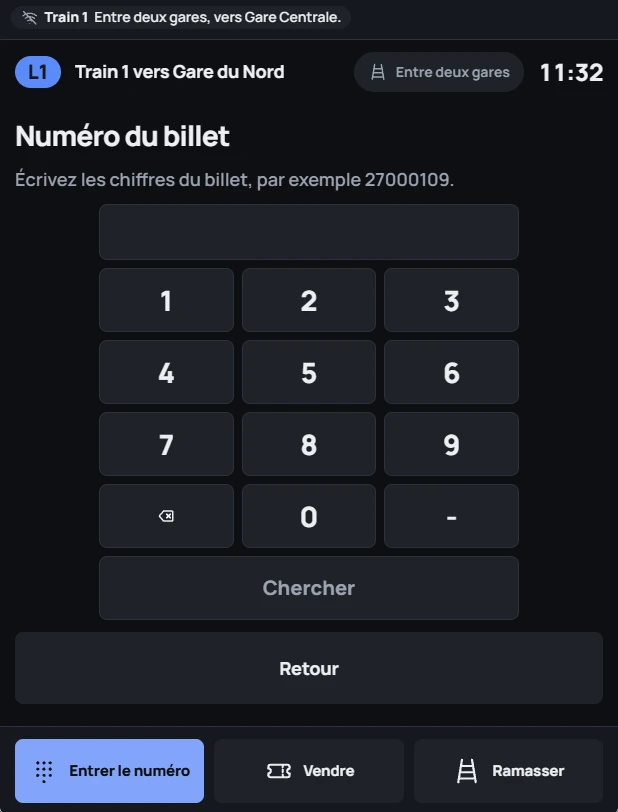
I was also looking for a way to put offline operation to the test. The train gave me a scenario I could repeat. It has a connection at the station, and I cut its link to the central server as soon as it leaves. The journey is simulated, but the relay really disconnects. Open a register or tablet on the train in the demo and you can see it switch to “Between stations.”
The register keeps recording sales on board. The tablet can validate tickets using the information it received before departure. Sales and validations stay on board and are sent when the connection returns. The passenger display keeps showing the map and next stop using data from the onboard server.
 1 / 3
 2 / 3
 3 / 3
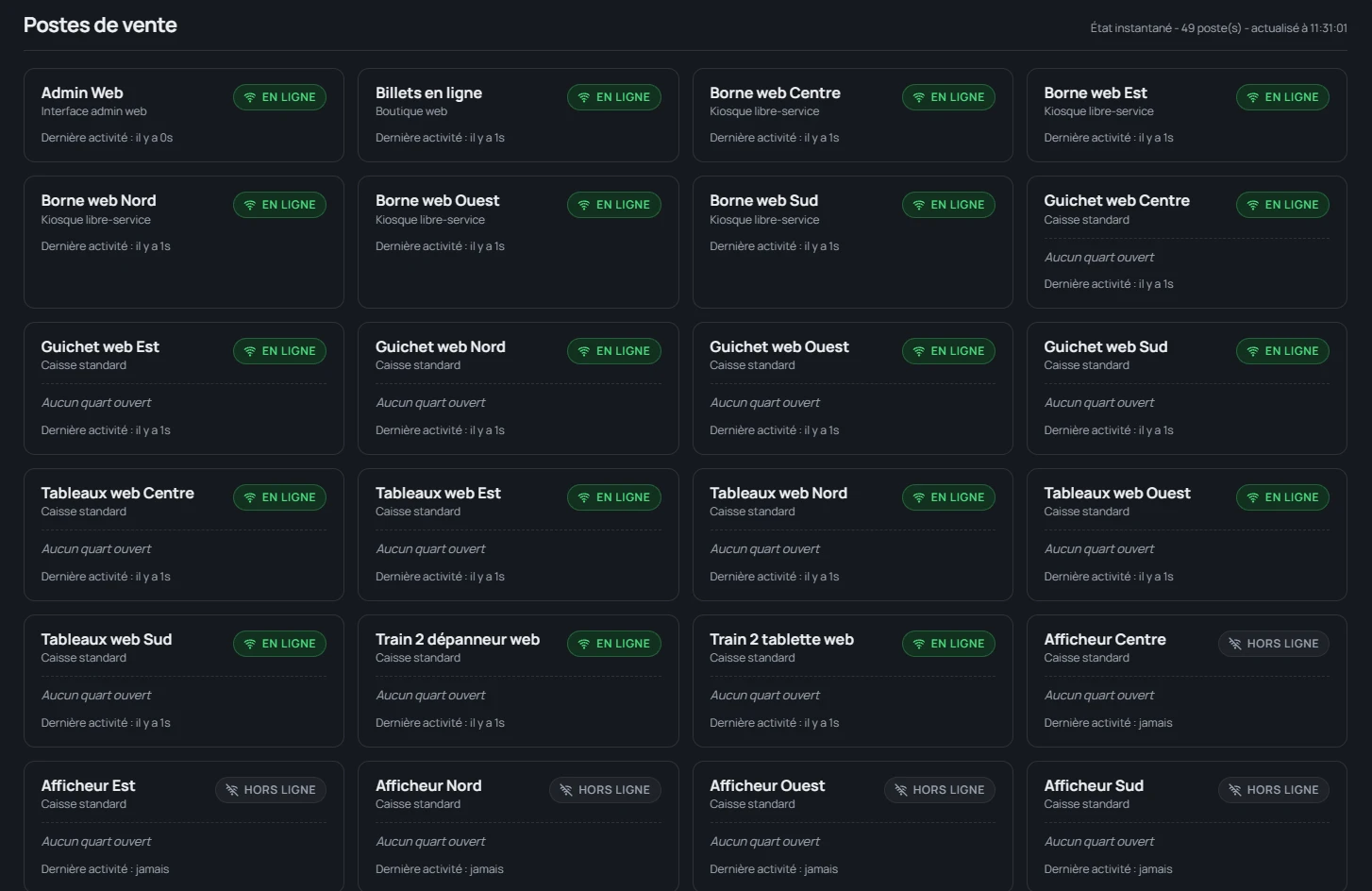
The Admin shows register status live, including in the demo. You can watch a register on the train go offline and reconnect when the train reaches a station.
Where is the train when it stops reporting?
I gave the onboard server two sources of location data. In the demo, GPS positions are simulated from the timetable. On a vehicle fitted with a GPS receiver, the onboard server can read its position in real time. It can keep reading that position on board while the link to the central server is down.
At the station, it’s a different story. Between stations, the demo’s central server stops receiving GPS positions from the train. The map estimates its location from the timetable, the actual departure time, and the reported delay. It labels the position as an estimate. I wanted that distinction to be clear. Seeing a train move on a map can help, as long as you know where that position came from.
A connection changes the calculation
This was the optimization problem I found most interesting. When several lines cross, a journey can have more than one possible transfer point. To compare routes, the engine adds up the reference fares for each leg. At the same price, it favours fewer legs, then a shorter distance. The next step is finding trains the passenger can actually connect between.
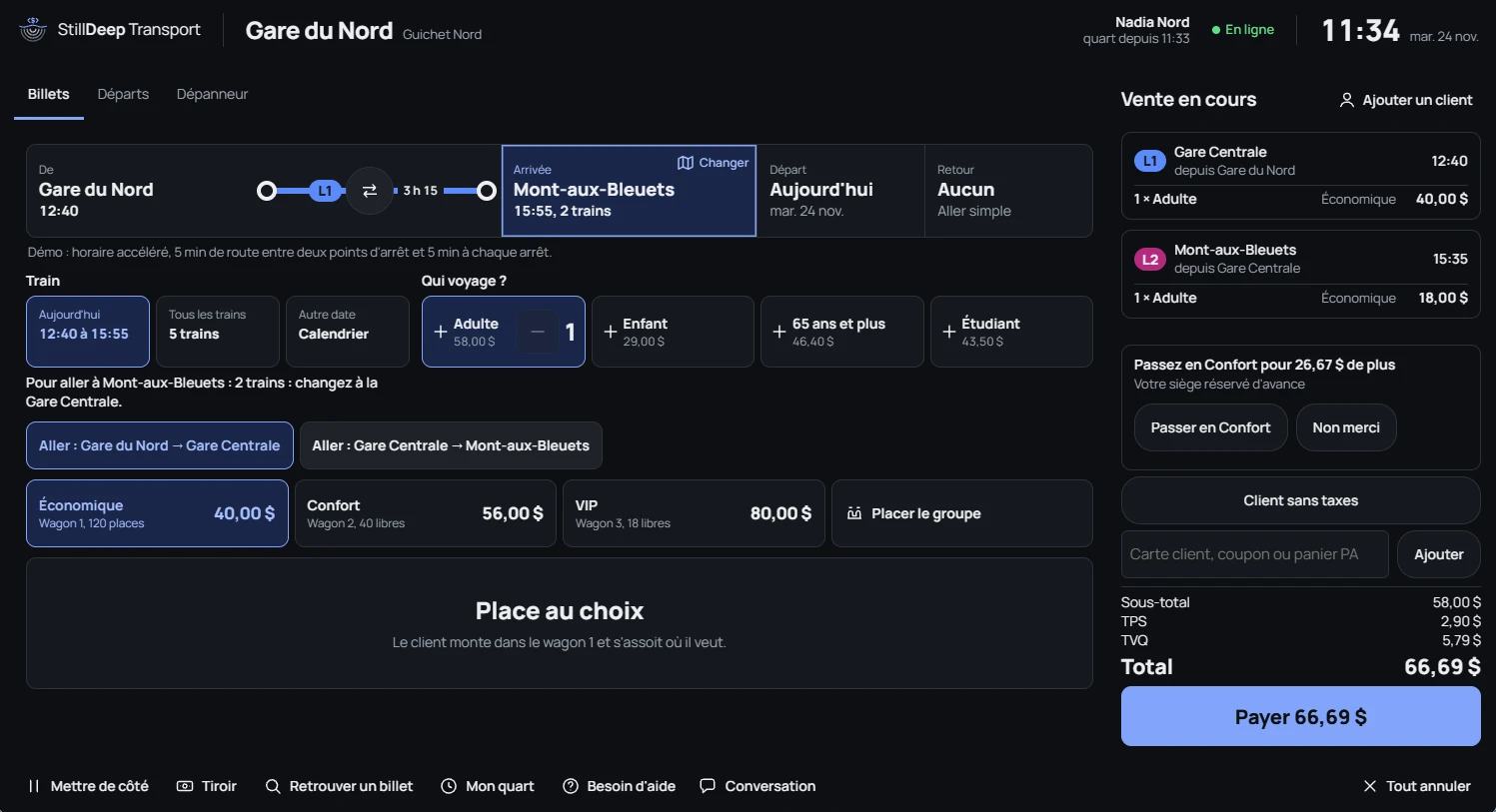
At the ticket desk, I wanted the result to be clear at a glance. In the screenshot, it takes two trains to get from the North Station to Mont-aux-Bleuets. The screen shows where to change trains, and both legs appear in the same cart.
 1 / 2
 2 / 2
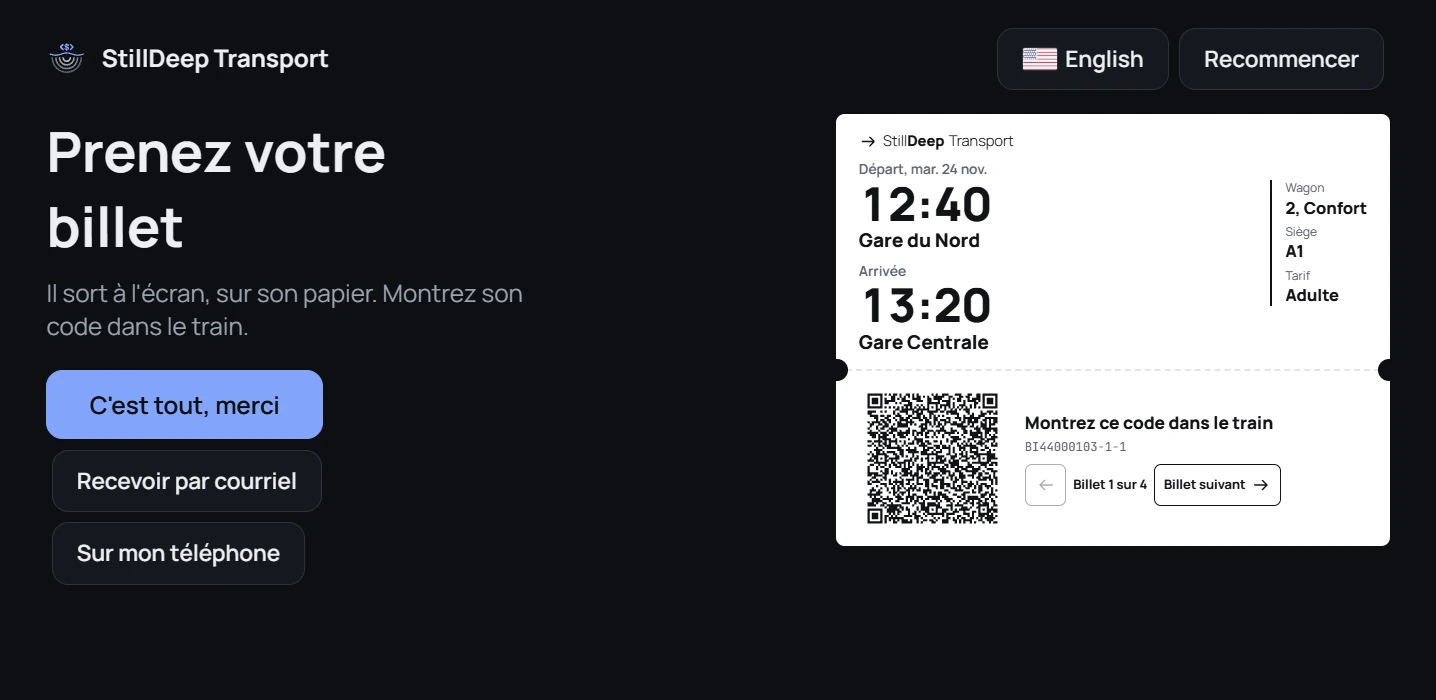
At the kiosk, each ticket shows which leg it covers and carries a code the conductor can scan on board, even between stations.
The demo train deliberately goes further than what a small service needs at launch. I wanted to test sales, validation, and departure tracking together so an operator could start with just the screens they need. If they add a route or change how they sell tickets later, they can build on that same foundation.
To see the connection drop in practice, open a register on a train in the demo desktop and let the train leave the station. That’s the moment I wanted to be able to reproduce during development.
Comments
No comments yet. Start the conversation.