

Which ticketing software for a carrier?
StillDeep Transport: the station desk, the kiosk, the ticket website, the station boards, the on-board register and the conductor's tablet, on one network and one price grid. Between stations, sales and ticket checks continue without a network. Built in Quebec, Canada: GST, QST and HST in the engine, French and English throughout. Try it in your browser, then make it your own. Modules: Transport and Retail.
An example to make your own
StillDeep Transport shows one way to run a train on StillDeep; there are others. Its screens really run on the same engine: the price comes from the grid, a seat sells only once, whatever the screen, and every ticket carries a signed code that can be read even without a network. The company, its stations and its data are fictional.
The interface is a starting point. With the source code, make it yours: your network, your stations, your fares and your colors, each option where your staff and your travelers look for it. The engine keeps the rules: prices, taxes, seats and tickets stay right.
The station desk, the kiosk and the train store are small Windows applications in WPF, and their web version in Blazor can be tried in your browser, in a Windows-style desktop: each station has its registers and boards on the network map, the trains move along it, and the train store really loses its link to the server between stations. Try them live: it is the example itself, connected to its own server. Demo employees use the password stilldeep123; no card is charged. The ticket website, the station boards and the on-train server also run on the web.
What the example supports
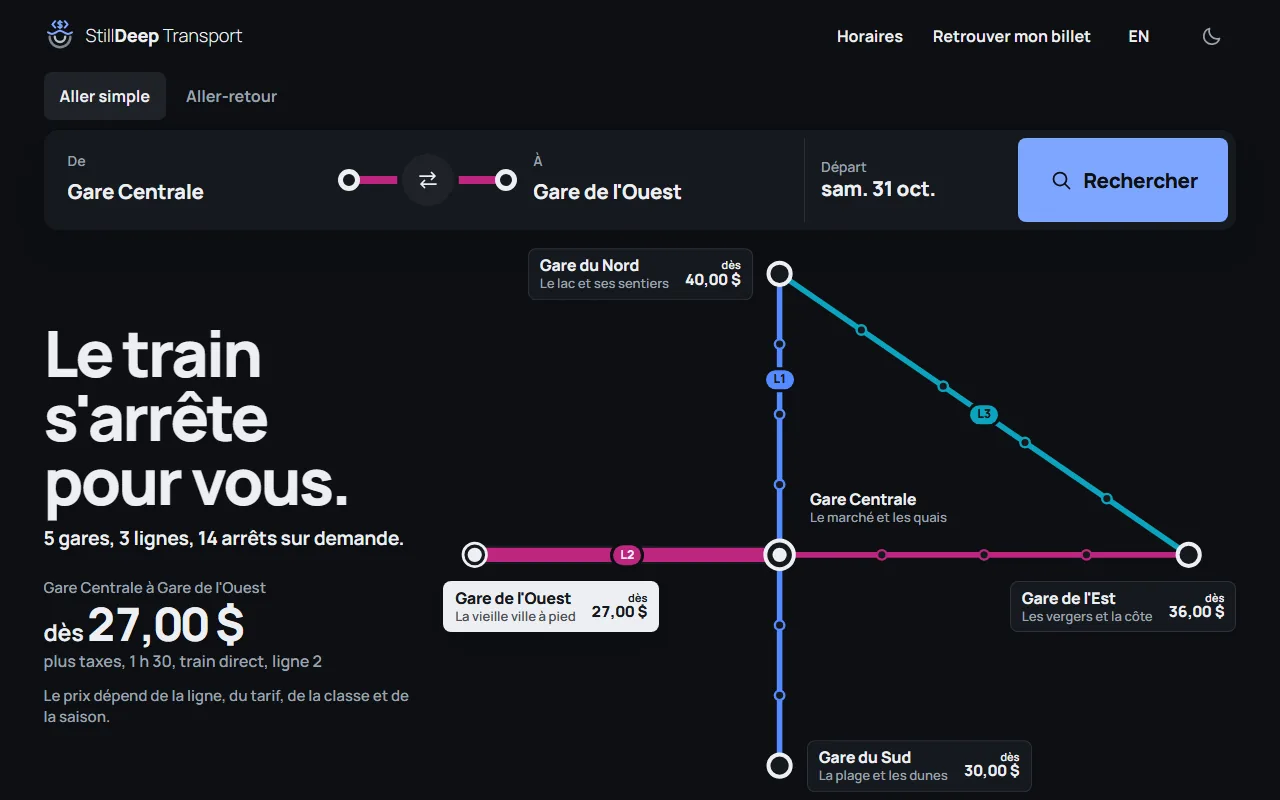
- The network. Five stations, three crossing lines and fourteen request stops, one every 50 km. The same map serves the website, the kiosk, the desk and the tablet.
- The search. From, to, when, one way or round trip: the cheapest route is computed once, then you pick your train.
- The group. The whole group makes the same trip. Each person has a fare, a class and a seat; "Choose for me" seats everyone side by side in the cheapest class.
- The upgrade. A single offer before paying, for the whole group and the whole trip, with what it brings.
- The ticket. One code per traveler on the thank-you page and by email, as a PDF, on paper or on the phone. The time zone is shown next to each time. From the search to the ticket, a trip across two zones says so next to the arrival, with the time difference, and the station board says which zone its times are in. The fictional network stays in one zone, but a station can be in another.
- The store. Coffee, water, sandwiches and the newspaper at the desk and on board, in the same sale as the ticket.
- Delays. A clerk announces a delay, a platform or a message in one action, and the boards update at once.
- Trains on the map. On the ticket website and at the kiosk, each train appears where it should be: an estimated position, labeled as such, from the schedule, the real departure and the delay.
- On board. Sales and ticket checks without a network, the manifest, pickups at request stops, GPS read by the on-train server, with a simulator for the demonstration.
What the engine handles for your trips
Under the example, the Transport module does the work the screen does not have to redo: prices, seats and ticket checks stay right, whatever the screen.
The cheapest route, worked out for you
From Gare du Nord to line 2, the ticket goes through Gare Centrale if that costs less, even when line 3 reaches the east faster.
High season, low season
The season comes from the date of travel. A connection or a round trip can span two seasons: each leg is priced on its own.
A grid you control
One price per pair of stops, fare, season and class: 71 pairs and 1,704 prices in the example. The generator fills the gaps from the distance, without overwriting what you entered.
Seats sold only once
At the desk, on the website and at the kiosk, the seat is held for the cart. On board, two tablets cannot sell the same one.
A price no one can force
The server reads the grid again at every sale. A sale already paid is never refused for its price: a mismatch stays a warning, and the sale goes to review.
Offline is normal
The on-board pack carries the network, the grid and the departures. Sales, checks and passages go out at the next station.
The station desk
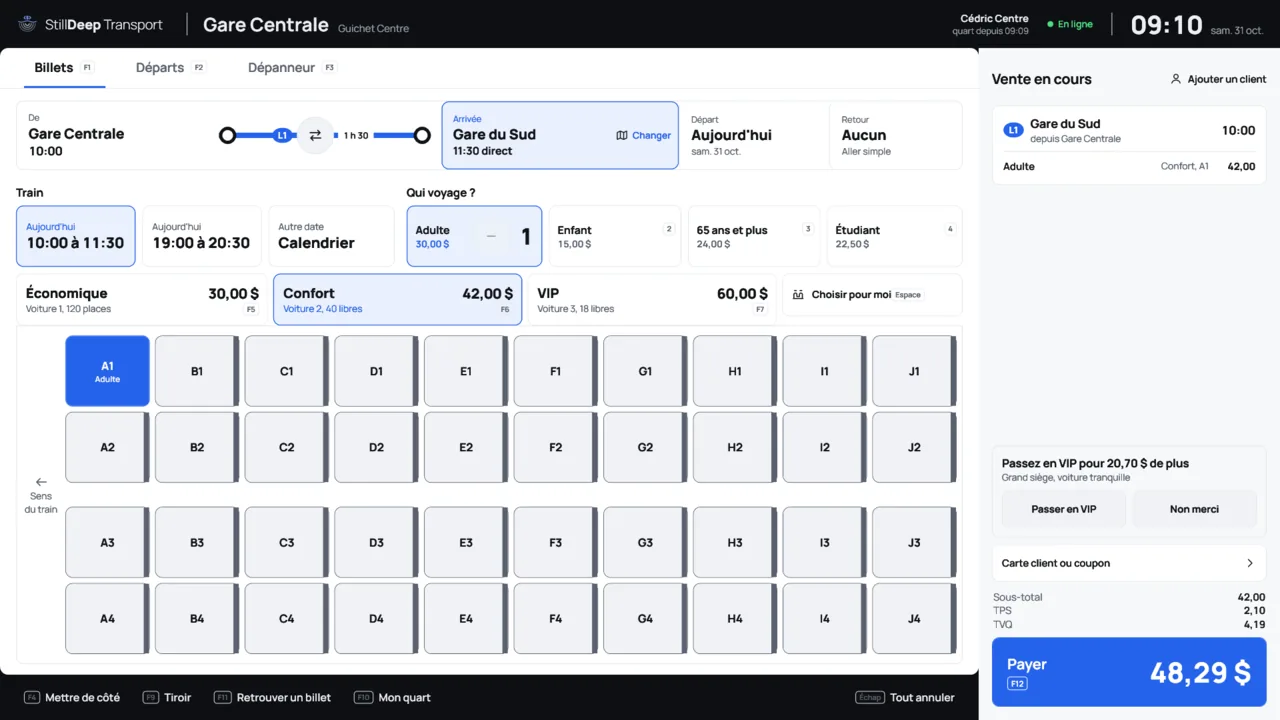
A few taps to get to the train: the station, the departure, who travels, the class and the seat on the coach map. The cart holds the ticket, the store items and the upgrade offer.
Staff also have keyboard shortcuts: F1 to F3 for the tabs, F12 to pay, and everything also works by touch. The No taxes button grants a discount equal to the tax amount, for employees with that permission.
Departures
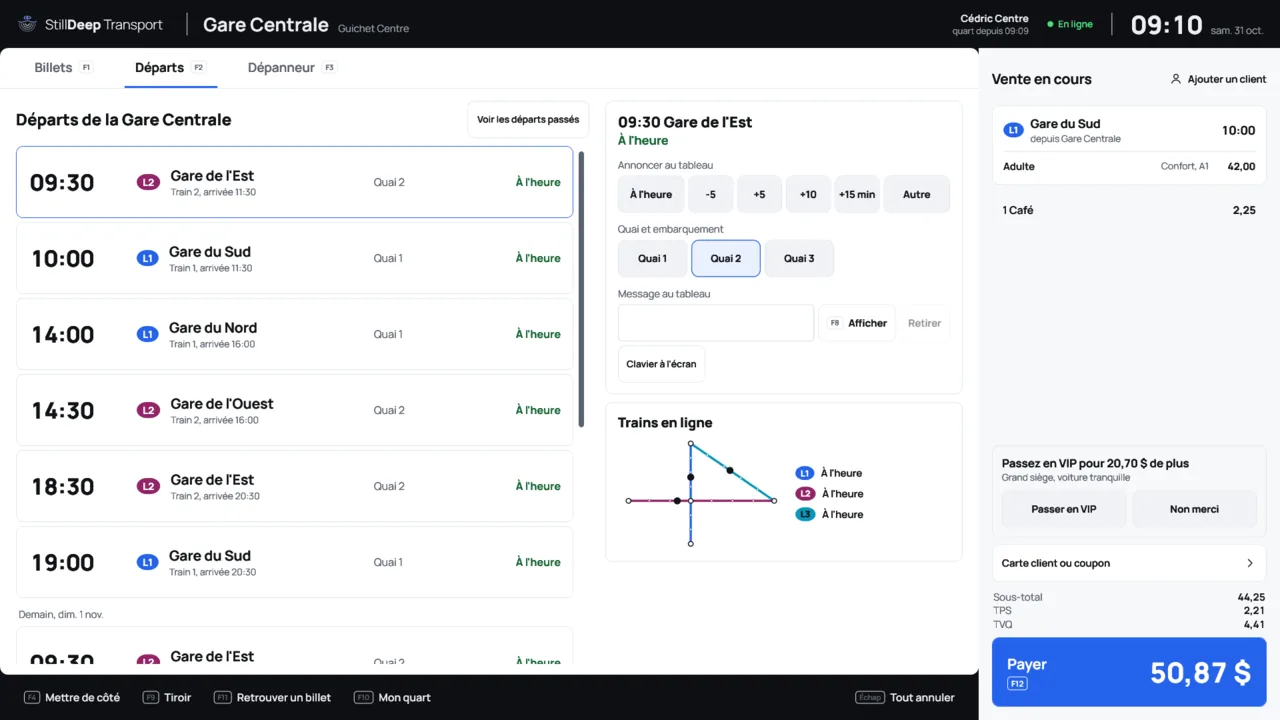
The clerk announces a delay, changes the platform or posts a message on the board. Each change reaches the station boards and the other screens at once. Only an administrator changes the schedule.
The kiosk
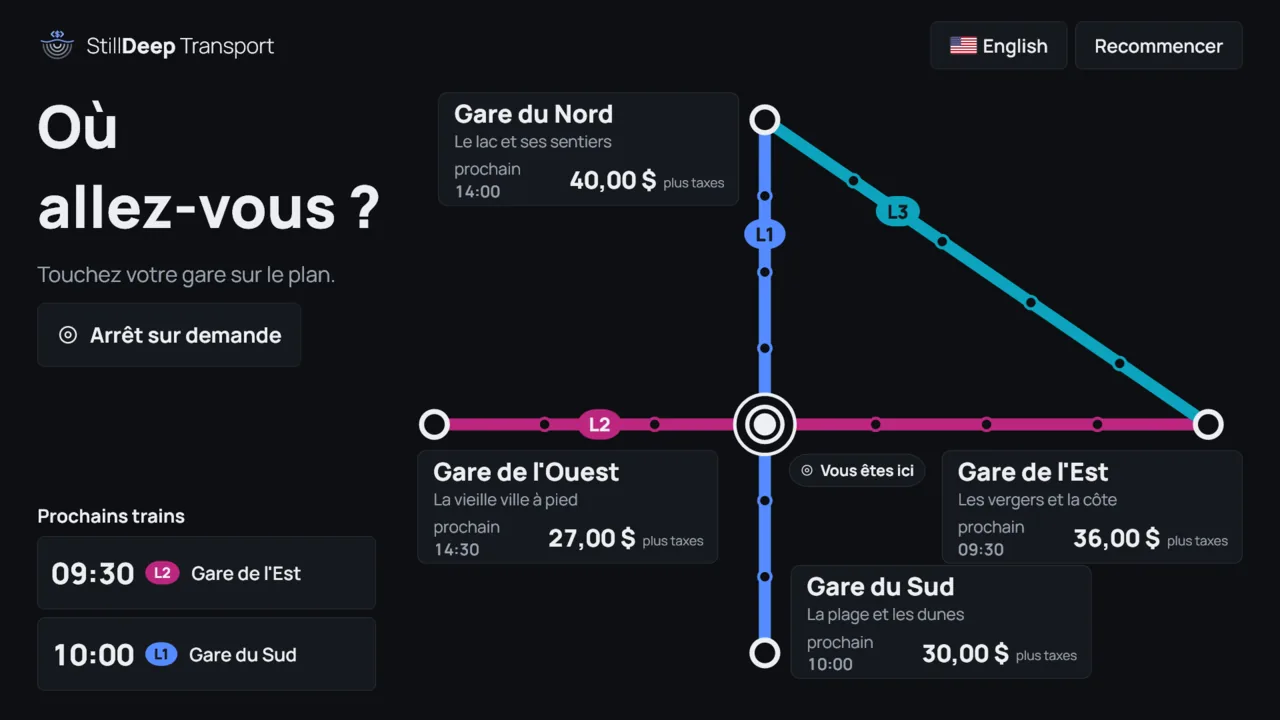
Where are you going? The map fills the screen: touching a station starts the purchase. Tickets only, card only, on-screen keyboard, in French or English. The demonstration prints nothing: the ticket and its code stay on the screen, and email is optional. If it loses the server, the kiosk goes out of service, sends people to the desk and comes back on its own.
The ticket website
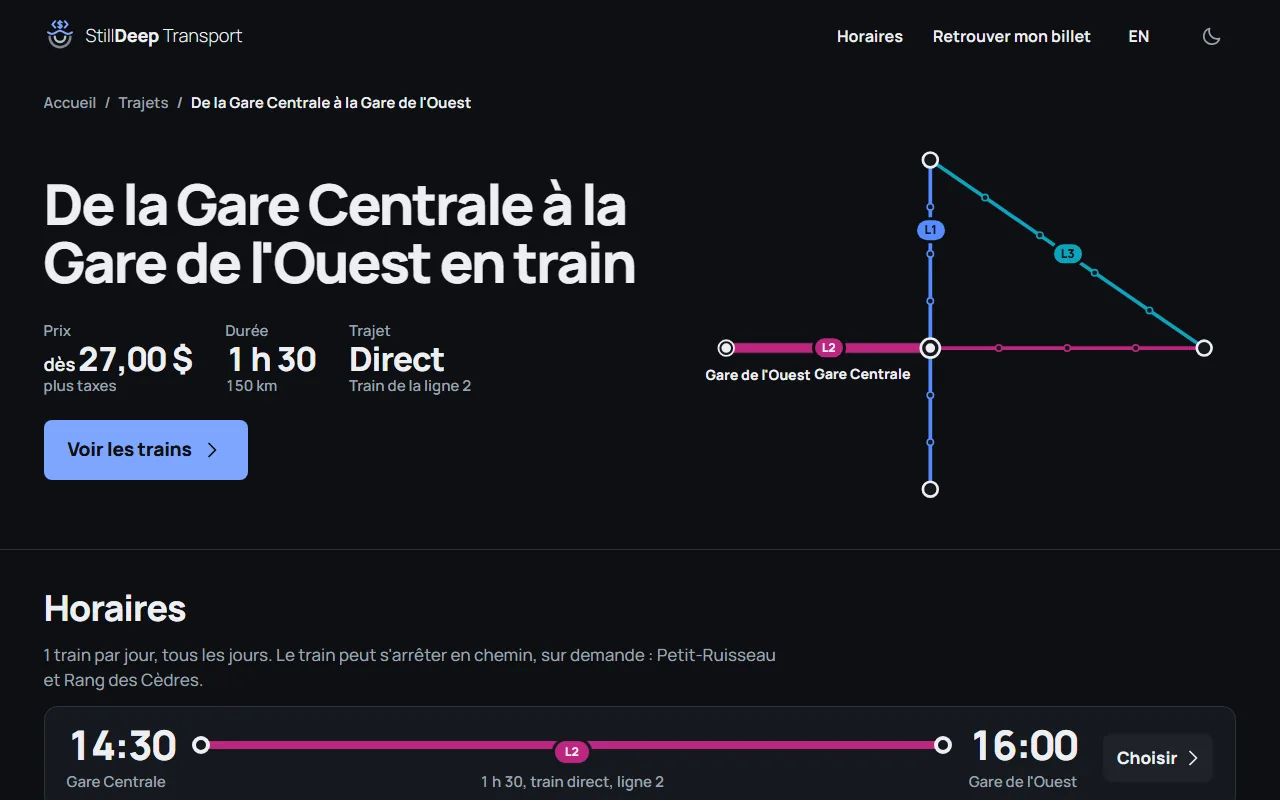
The map, the search, the trains, then who travels and where they sit, on one page. The website sells by card only, and each traveler gets a code on the thank-you page and by email. Route, station and line pages in French and English, served without script.
Try it live: test mode, card 4242 4242 4242 4242, no card is charged.
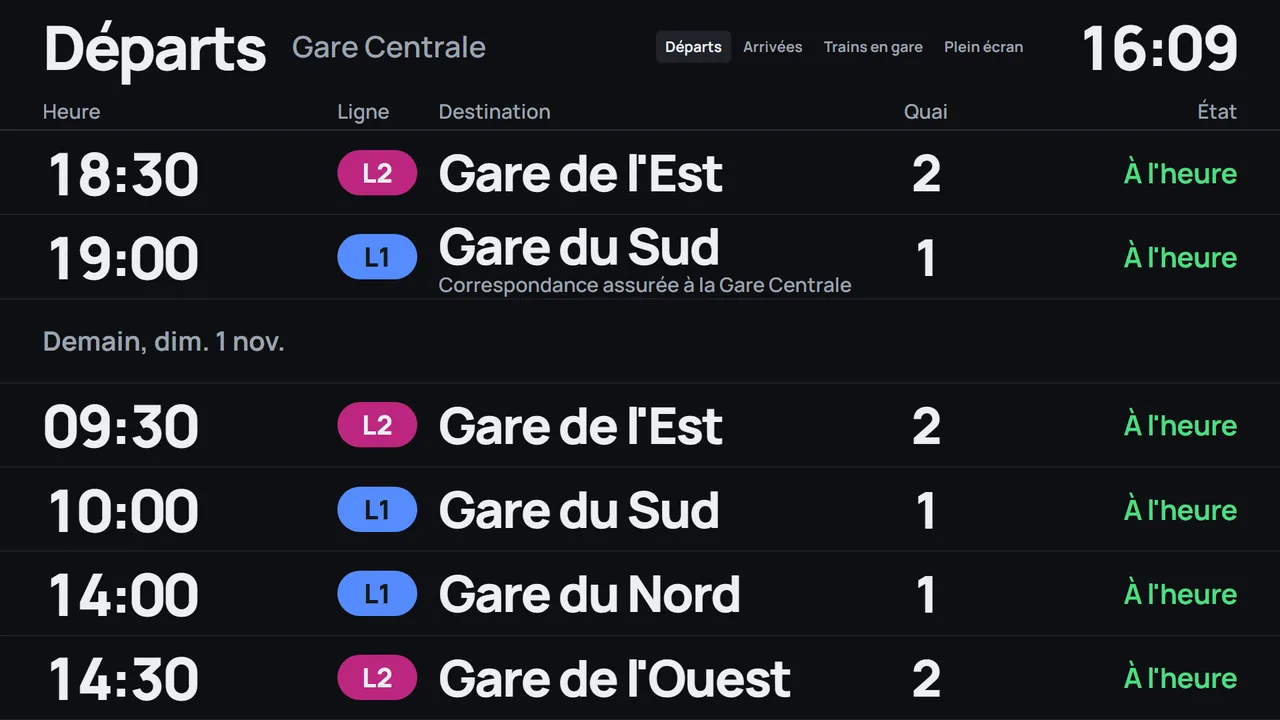
Station boards
Departures, arrivals and trains in the station, on a dark background readable from a distance. A board sells nothing and has no shift: it only displays, and updates in real time. If it loses the server, it keeps its schedule and shows Liaison perdue (link lost), with the time of its last update.
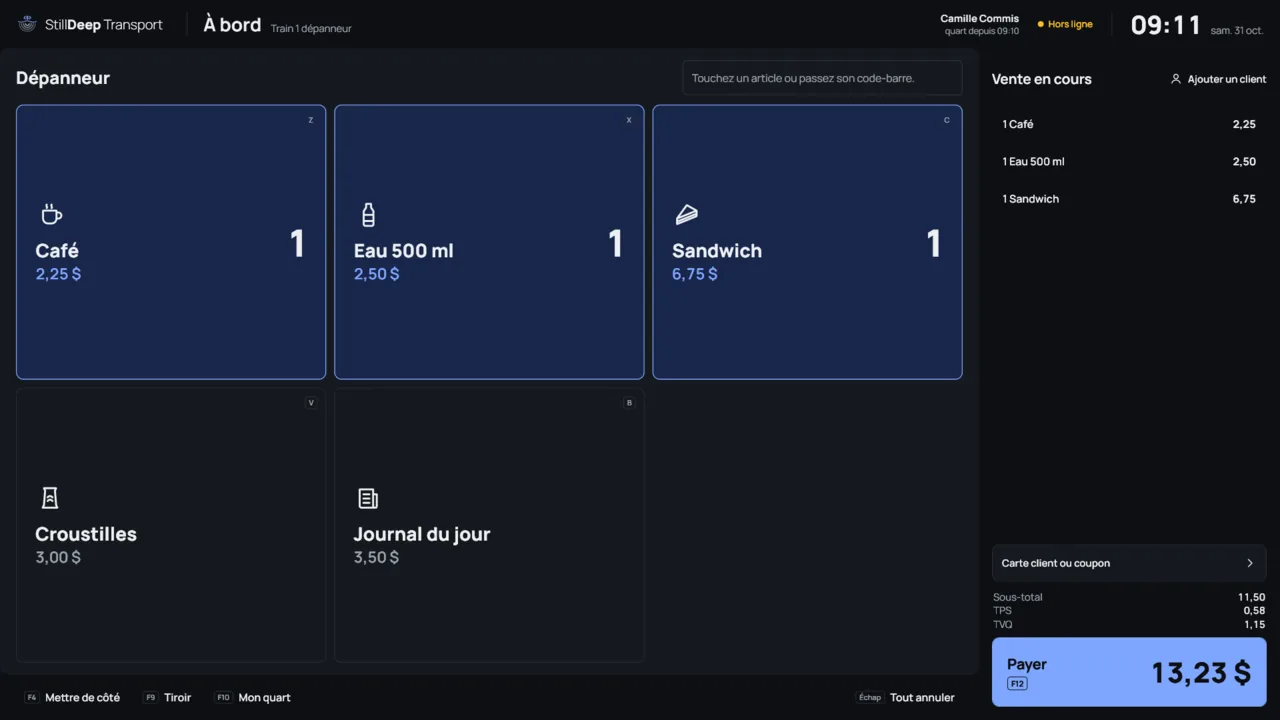
The train store
A fixed register in the train's store, without GPS. Between stations, the clerk keeps selling: sales wait on board and go out at the next station.
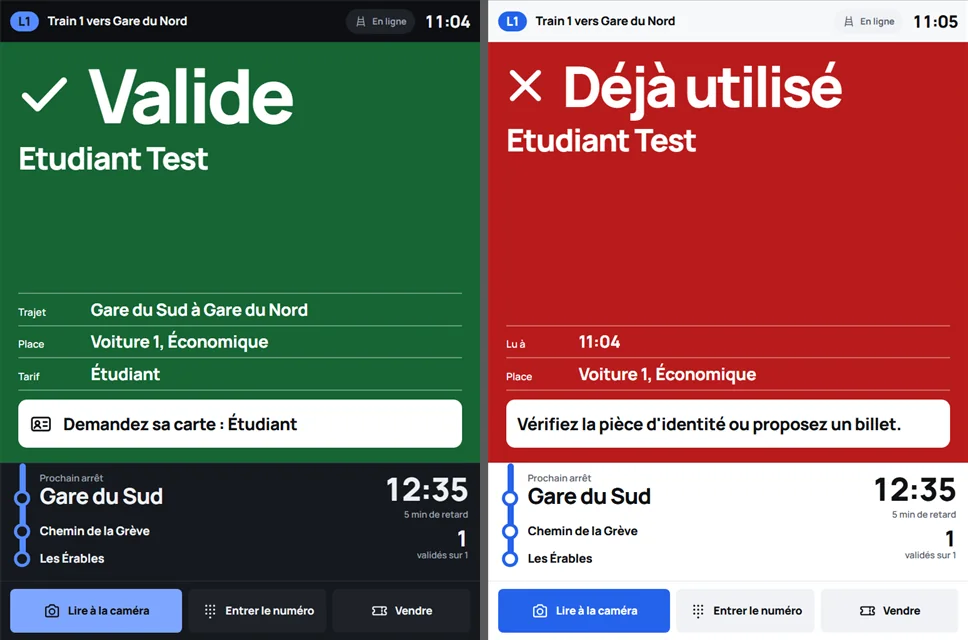
The conductor's tablet
Standing, one-handed, in a moving aisle: the conductor reads the ticket by scanner, camera or its number on the keypad, and the result fills the screen. The tablet shows the next stop, the manifest and the pickups, and sells a ticket to anyone without one.
The tablet has no keyboard: the conductor signs in with a PIN or a badge. It receives its ticket-reading keys once, after approval in the Admin. It shows the state of its link: online, between stations, slow or uncertain.
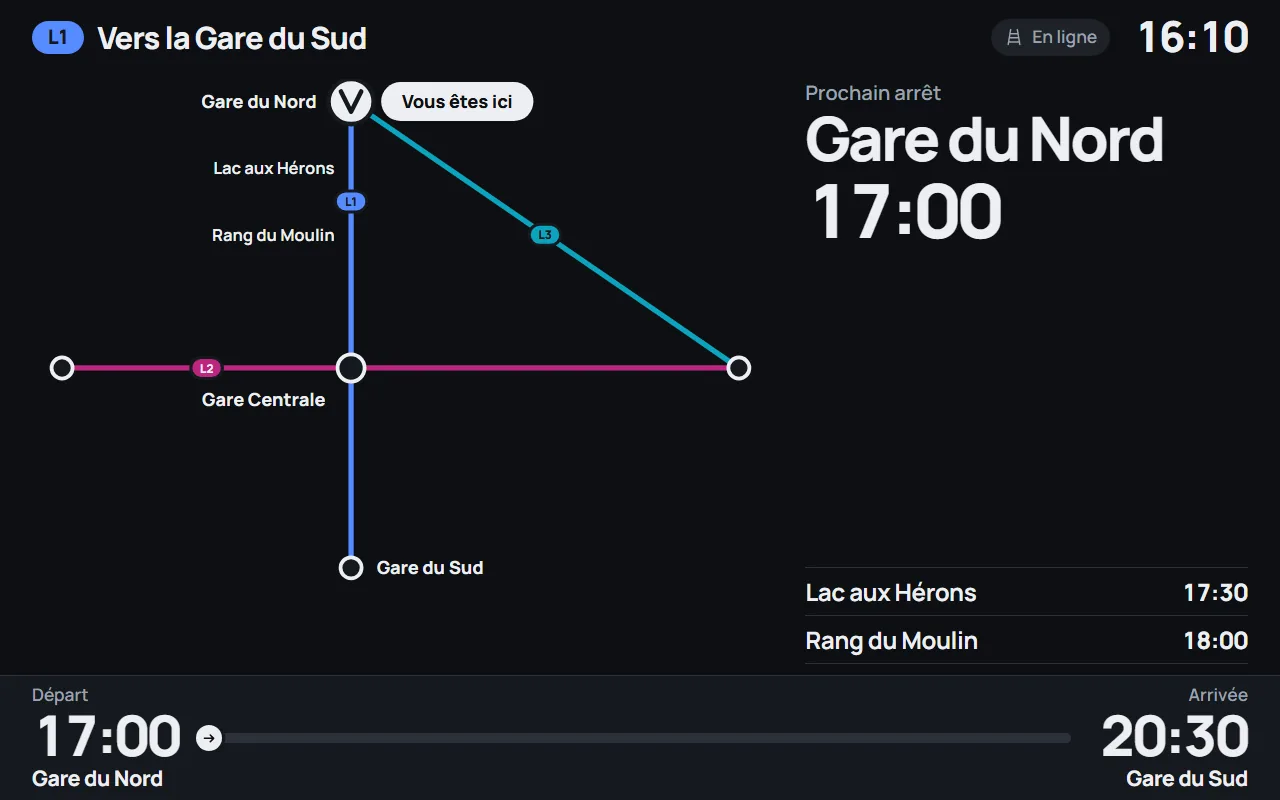
The passenger screen
The on-train server also serves the map, the next stop and the progress of the trip. It holds everything on board: these pages work without a network, between stations.
The driver's page
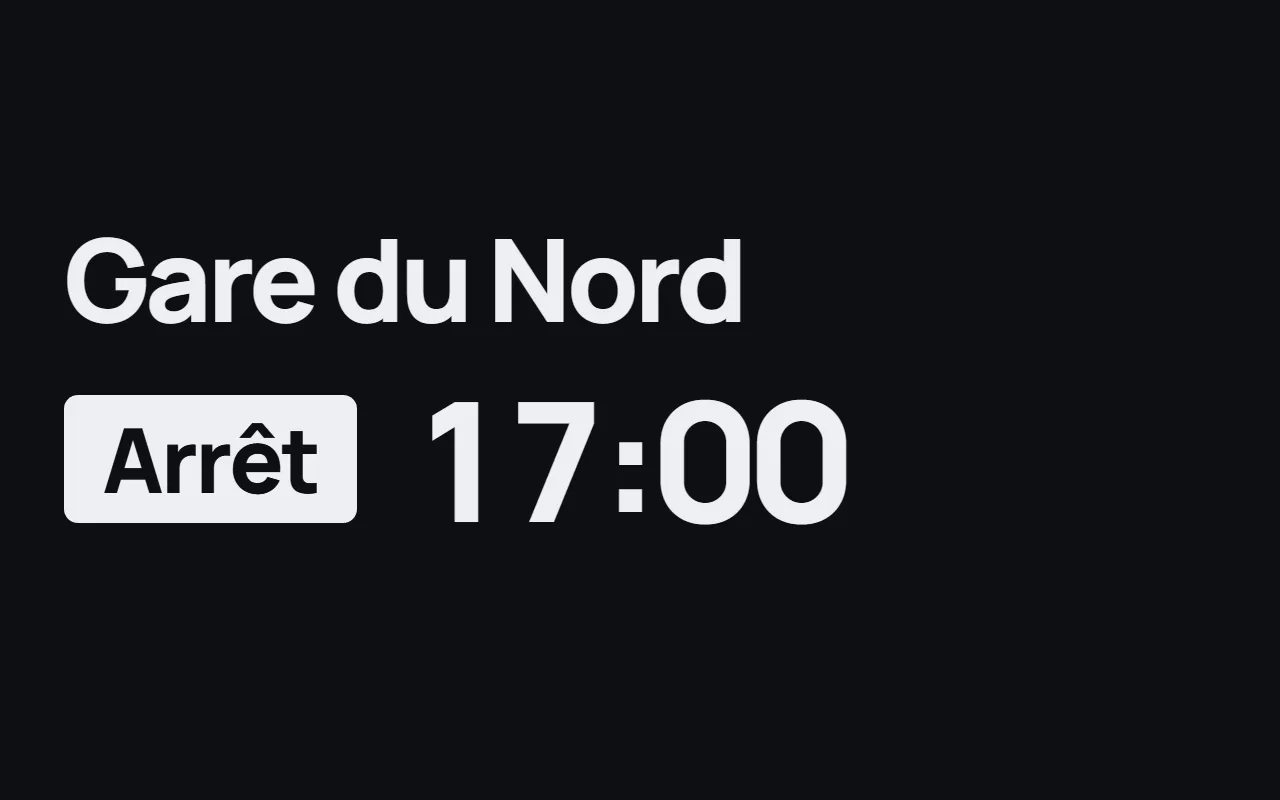
One stop, one time, one word: Stop or Pass. Nothing else to read: a glance is enough, then the eyes go back to the track.
How it runs
One server on the ground for the whole network
The server keeps the database, the Admin and the Reports: stops, lines, fares, the grid, seasons and departures.
Registers in every station
The desk, the kiosk and the boards are in the station, on the network. The ticket website is a register too: a seat sells only once, whatever the screen.
One on-train server per train
It hosts the tablets, keeps the train's data and reads the GPS. The train has network access only in stations: everything else waits on board and goes out at the next one.
The screens are yours
Each screen is a small application of its own. Change its map, its images, its colors and where its options sit without touching the engine.
Free screen source code
The source code of the station desk, the kiosk, the train store, the ticket website, the boards and the on-train server is free: copy it, put your brand on it, make it your own network.
Six complete screens
Station desk, kiosk and train store in WPF; ticket website, boards and on-train server in ASP.NET Core and Blazor.
One map, everywhere
The network map comes from the engine and from a single source: no screen hard-codes a station's position. Change your lines, the map follows.
Ready for your coding agent
Each example comes with its AGENTS.md, and the stilldeep-pos-screen skill gives a coding agent the steps to adapt the screens to your business. Describe what you want: the agent changes the screens, the engine keeps the rules.
For other uses, such as a shuttle, a ferry or a festival, see what the modules do together.
Its modules
January 2027. Prices and online purchase for these modules open on that date. Create your account today: it will be ready.
Questions about the train example
Which software can sell train, shuttle or ferry tickets?
The Transport module: lines, stops, price grid, seats and departures. This example shows it on a train; a shuttle or a ferry builds on the same engine, with your screens.
Is it finished software?
It is an example: it works as is, and it is made to be changed. Keep what serves you, change the rest, or write your own screens on the same engine.
Do I need both modules?
No. Transport sells the tickets and runs the departures; Retail serves the store, at the desk and on board. Without a store, Transport is enough.
Can I add my own lines?
Yes. Stops, lines, fares, seasons, classes and departures are set in the Admin, and the map is drawn from the network.
What happens between stations?
The train loses its connection and nothing shuts down: sales, ticket checks and the map continue on board. Everything goes to the server at the next station.
What if the server on the ground goes down?
The registers go offline and keep selling from their local copy. The board shows Liaison perdue (link lost) with the time of its schedule, the kiosk sends people to the desk, and everything comes back on its own when the server does, without reloading the page.
What happens to a sale already paid?
The register keeps it open. At the desk and the train store, it waits for the employee. On the tablet, a banner says Une vente payée attend (a paid sale is waiting), with Terminer la vente (finish the sale) or Rendre le paiement (give the payment back). At the kiosk, the customer is sent to the desk and the kiosk goes out of service.
Does it run on Linux or a Mac?
The server runs on Windows, Linux and macOS, and the on-train server on Windows and Linux. The three WPF registers are Windows only. The ticket website and the boards open in any browser.
Is the web demo real?
Yes. The web desktop runs real registers, one per window: ticket desks, kiosks, on-board registers and tablets, with trains that move on the map and a real offline cut between stations. The ticket website is also a real register of the example. They all run on their own server and their own database. Card payment is in test mode: nothing is charged.
Is the train example free?
Yes. The screen source code is free. The price and online purchase of the modules open in January 2027; developers, schools and nonprofits can apply to the free program.