

A salon appointment starts with a customer and their pet. You need to choose a service, find an opening in the schedule, then bring the appointment into the register. The StillDeep pet store example brings these steps together in a dedicated grooming workstation, alongside the store register and stock count app.
A week of appointments at a glance
The Week view gives an overview of the salon. Each appointment shows its time, the planned service, the customer and pet, and the assigned employee. You can move between weeks to review existing appointments.
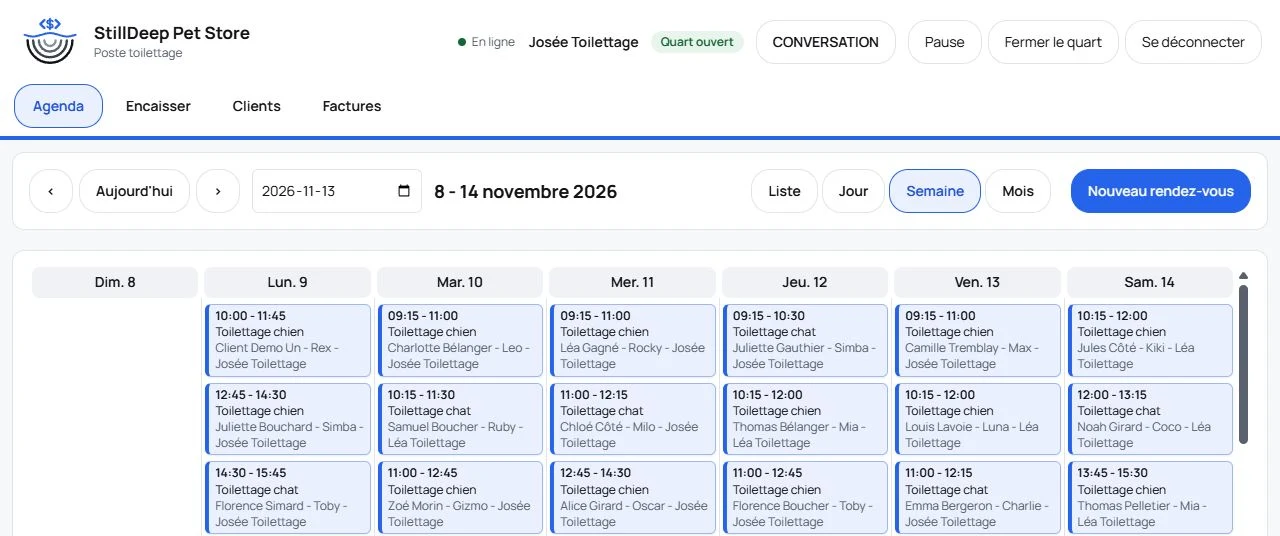
The salon’s Week view, with appointments assigned to Josée and Léa.
To follow the day’s work, the List view puts the actions within reach. Beside each appointment, the employee can mark the customer’s arrival, record a no-show or proceed to checkout. The pet’s name stays visible alongside the customer’s.
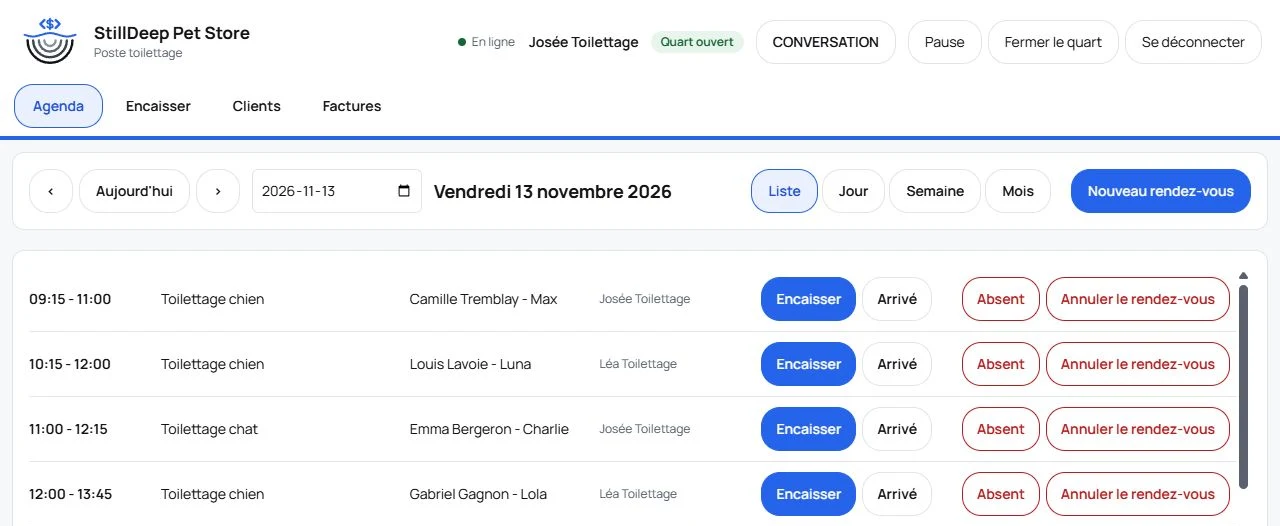
In List view, appointment times and salon actions are available on each row.
The right service for the right pet
Booking an appointment links the service to the customer’s record and their pet. In this screenshot, Simba, an eight-year-old Labrador, has already been found in Juliette’s record. Available slots are shown with the employee’s name.
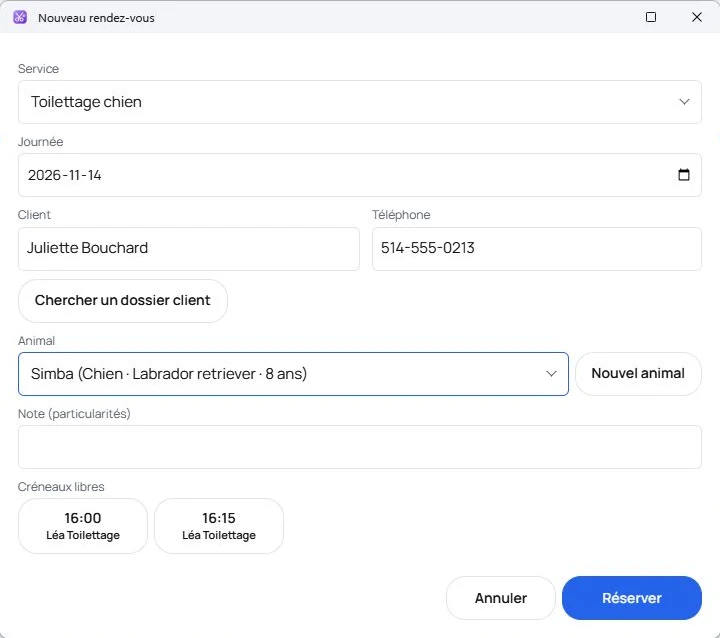
The customer and pet are selected before choosing a time slot.
A note lets you record details specific to the appointment. If the pet does not have a record yet, you can add one from the form. The Pets plugin stores its information, including species, breed and traits.
When it is time to charge for the service, the Check out action brings the appointment into the cart with the customer and pet concerned. The StillDeep engine calculates the prices, taxes and sale total.
Count the products, then review the differences
Stock counts open in a separate app on the web desktop. One employee starts the count, then coworkers can join from their own workstations. Counts are shared live, showing who counted the items.
You can read codes with a barcode scanner, the keyboard or a phone camera. A scan counts one unit; you can specify a quantity to count several of the same item. During the count, the expected stock stays hidden: each employee enters what they actually find on the shelves.
The review then compares expected and counted quantities. Differences are shown for each item, and large differences are flagged for a recount. In this example, negative and positive differences help identify the products to check before finishing.
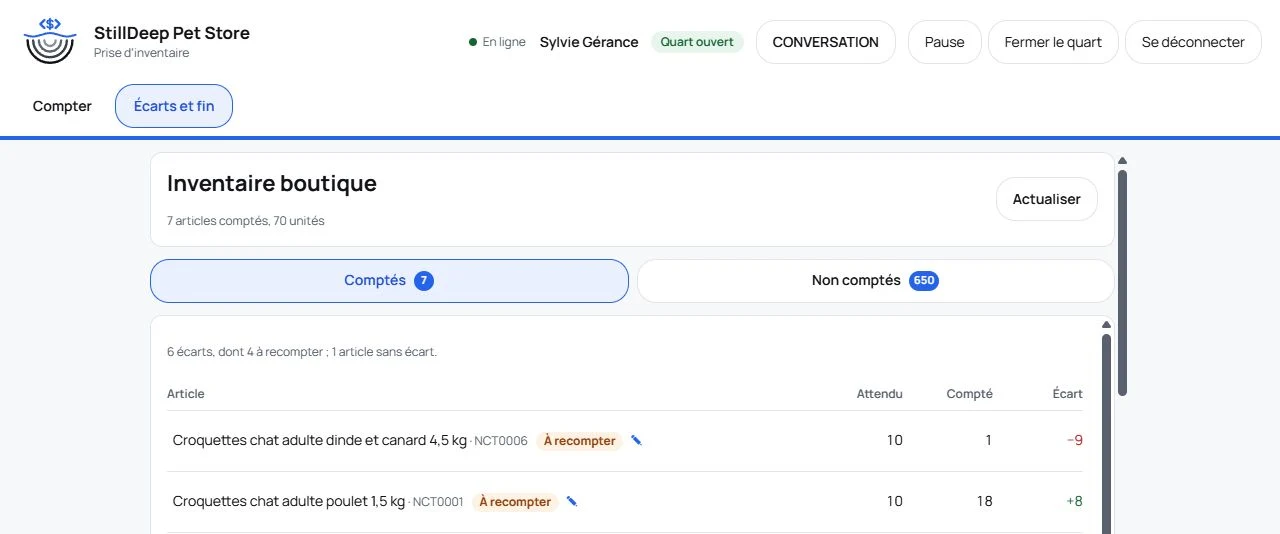
Expected and counted quantities are compared before any stock adjustment.
You can correct a count or recount an item without erasing a coworker’s simultaneous work. A partial count keeps the stock of uncounted items. A complete count sets those items to zero and requires an additional permission.
The store and what’s new in Pets
The store register organizes items by category and lets you search for a product by name or code. The demo catalogue includes products for dogs, cats and aquariums.
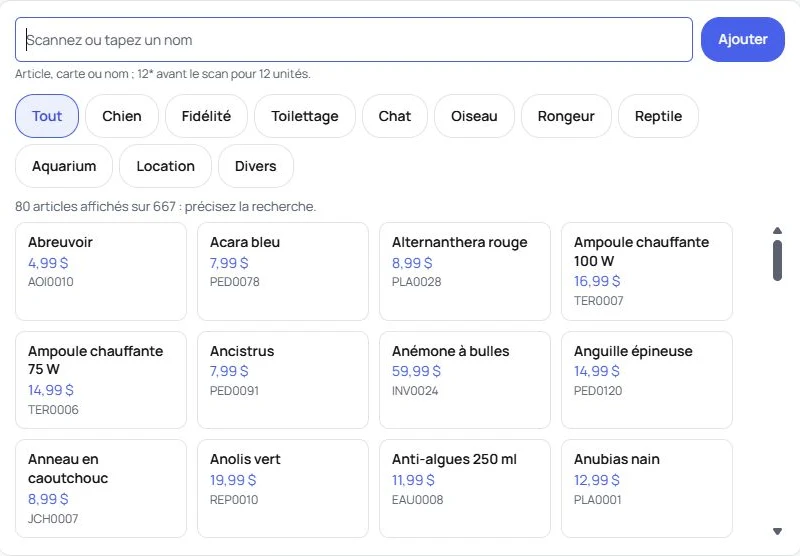
A look at the store catalogue, taken from the demo guide.
The latest Pets developments also add animals available for adoption, with an individual price, an availability date and a reservation linked to a customer. For items configured to require a contract, the workflow uses the signature plugin. The signature services must be configured; ownership transfers after a completed, paid sale.
The example interfaces are scheduled to become open source by November 22, 2026. Developers and integrators will be able to adapt the screens to their customers and their own branding. It uses the proprietary StillDeep engine for register operations.
Comments
No comments yet. Start the conversation.